
IT Asset Management Best Practices: Complete Guide for Modern Organizations


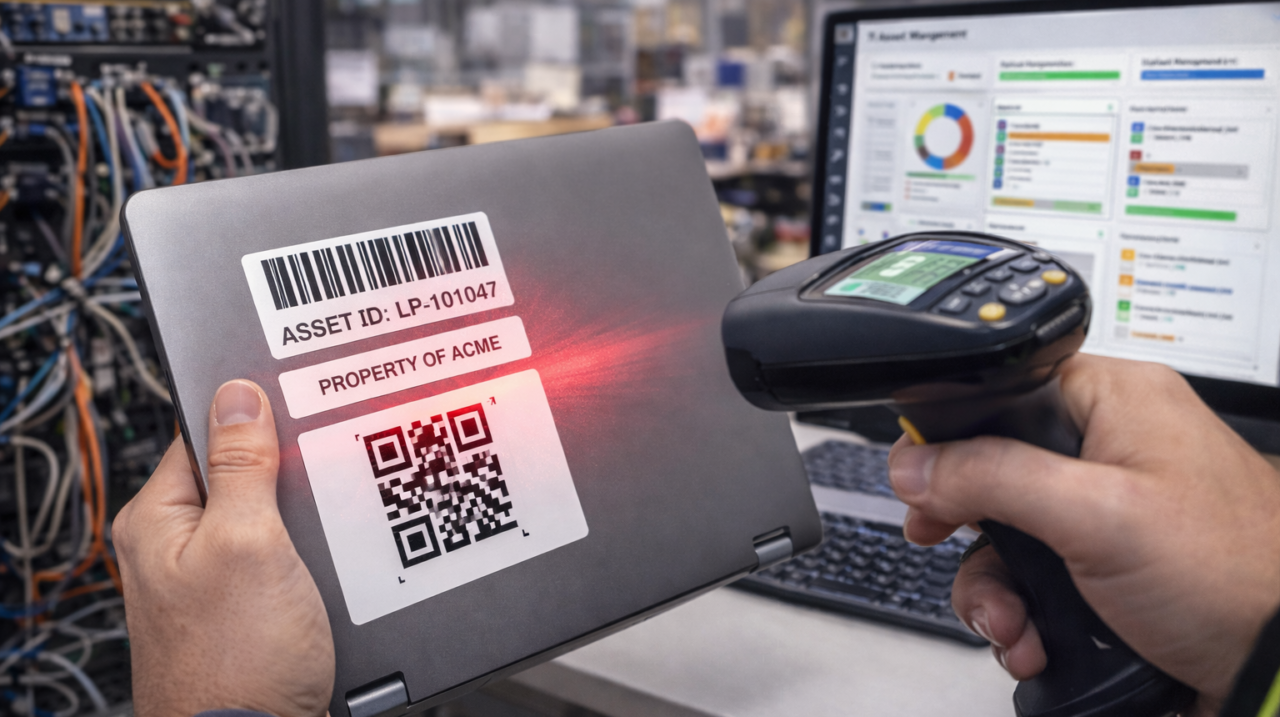
IT Asset Management (ITAM) is a critical process for organizations that depend on technology to function, expand, and stay compliant. Organizations today are managing hundreds or thousands of IT assets, ranging from hardware to software, cloud services, and network infrastructure. Without a proper ITAM strategy in place, organizations are at risk of losing assets, failing to comply, exposing themselves to security risks, and wasting money.
This guide will walk you through IT Asset Management best practices and how organizations can successfully adopt them with the help of contemporary technology, such as the SoftwarePac IT Asset Management Solution.
What is IT Asset Management Best Practices:?
IT Asset Management (ITAM) is the management and optimization of IT assets throughout their lifecycle, from procurement and deployment to maintenance and retirement.
IT assets include:
* Computers and laptops
* Servers and network devices
* Software licenses and subscriptions
* Mobile devices and tablets
* Cloud resources
* Peripheral devices
A centralized ITAM solution, such as SoftwarePac, allows organizations to have complete visibility and control over their IT infrastructure.
Why IT Asset Management is Important
Implementing IT Asset Management best practices provides several business and operational benefits:
1. Cost Control and Budget Optimization
Tracking assets helps prevent unnecessary purchases, reduces duplication, and improves financial planning.
2. Improved Security and Compliance
Untracked assets can introduce security risks. SoftwarePac helps organizations monitor asset ownership, patch status, and license compliance.
3. Operational Efficiency
IT teams can quickly locate assets, monitor usage, and manage maintenance schedules.
4. Lifecycle Visibility
Organizations gain insight into asset performance and replacement timelines.
IT Asset Management Best Practices
1. Maintain a Centralized Asset Inventory
A centralized asset repository is the foundation of effective ITAM.
Best practices include:
Maintain accurate asset records.
Track asset location and ownership
Monitor asset status and usage
Record purchase and warranty details
SoftwarePac provides centralized asset tracking that allows organizations to monitor physical and digital assets in real-time.
2. Implement Asset Lifecycle Management
Managing assets across their entire lifecycle helps improve utilization and reduce downtime.
Asset lifecycle stages include:
Procurement
Deployment
Maintenance
Upgrade
Retirement or Disposal
SoftwarePac helps automate lifecycle tracking, ensuring assets are monitored from acquisition to retirement.
3. Automate Asset Tracking
Manual asset tracking increases errors and consumes valuable IT resources.
Automation helps organizations:
Reduce manual data entry.
Improve asset accuracy
Track asset movement using barcode scanning
Monitor asset usage trends.
SoftwarePac offers automated asset tracking with barcode integration to improve accuracy and efficiency.
4. Standardize Asset Categories and Naming Conventions
Consistent categorization improves reporting and simplifies asset search.
Recommended strategies:
Create asset categories based on device type.
Use standardized naming formats.
Define asset ownership and department allocation.
SoftwarePac supports customizable asset categories and tagging for improved asset organization.
5. Monitor Software Licenses and Compliance
Software license management is critical for avoiding legal penalties and unnecessary expenses.
Best practices include:
Track license usage and expiration dates
Monitor subscription renewals
Maintain compliance audit records.
SoftwarePac helps organizations track software licenses, monitor renewals, and maintain compliance documentation.
6. Schedule Preventive Maintenance
Regular maintenance extends asset lifespan and reduces unexpected failures.
Maintenance best practices include:
Schedule routine hardware inspections
Track repair history
Set automated maintenance reminders.
SoftwarePac includes maintenance scheduling features that help IT teams stay proactive.
7. Enable Asset Check-In and Check-Out Tracking
Organizations must track asset assignment to employees and departments.
This helps:
Reduce asset loss
Maintain accountability
Track asset movement history
SoftwarePac offers advanced check-in and check-out tracking with complete audit logs.
8. Integrate IT Asset Management with Other IT Systems
Integration improves data accuracy and operational efficiency.
Recommended integrations:
Helpdesk and ticketing systems
Procurement platforms
Monitoring and security tools
Financial management systems
SoftwarePac supports integration with enterprise IT environments to streamline asset workflows.
9. Conduct Regular Asset Audits
Routine audits ensure asset records remain accurate.
Audit best practices include:
Perform periodic physical verification.
Validate asset ownership records.
Identify missing or unused assets.
Update the asset database regularly.
SoftwarePac simplifies audit management by providing reporting dashboards and asset verification tools.
10. Implement Role-Based Access Control
Not all employees should have access to asset data.
Security best practices include:
Assign user roles based on responsibility.
Restrict sensitive asset data.
Maintain audit logs
SoftwarePac provides secure role-based access control to protect asset information.
How SoftwarePac Improves IT Asset Management
SoftwarePac is designed to help organizations manage IT assets efficiently while improving visibility and compliance.
Key SoftwarePac Features
- Centralized asset tracking dashboard
- Barcode-based asset management
- Asset lifecycle monitoring
- License and subscription tracking
- Maintenance reminders
- Asset check-in and check-out workflows
- Audit reporting and compliance tools
- Multi-location asset tracking
SoftwarePac helps organizations reduce operational costs, improve asset accountability, and enhance IT governance.
Common IT Asset Management Challenges
Organizations often face these challenges:
- Poor asset visibility
- Manual tracking errors
- Compliance risks
- Inefficient maintenance planning
- Asset loss or misplacement
Using SoftwarePac helps businesses overcome these challenges through automation and centralized asset management.
- Tips for Successful IT Asset Management Implementation
- Define clear ITAM policies.
- Train IT teams and employees.
- Use automation tools like SoftwarePac.
- Perform routine asset audits.
- Monitor asset performance metrics
Conclusion
Following IT Asset Management best practices is essential for improving operational efficiency, reducing costs, and maintaining compliance. Organizations that implement structured ITAM strategies gain better control over their technology investments.
Modern ITAM platforms like SoftwarePac provide automation, centralized visibility, and lifecycle tracking that help businesses optimize asset management processes and improve decision-making.
Frequently Asked Questions (FAQ)
What is IT Asset Management?
IT Asset Management is the process of tracking and managing IT assets throughout their lifecycle.
Why should businesses use SoftwarePac for IT Asset Management?
SoftwarePac provides centralized tracking, automation, compliance monitoring, and lifecycle management for IT assets.
How often should IT asset audits be conducted?
Most organizations perform audits quarterly or annually, depending on compliance requirements.


 Feb 12, 2026
